Native HEIC format
Balance visible detail and file size with the high-efficiency format supported by iOS.
Create smaller HEIC copies with More Detail or Smaller Size. Compare each result with the original before deciding what to keep.
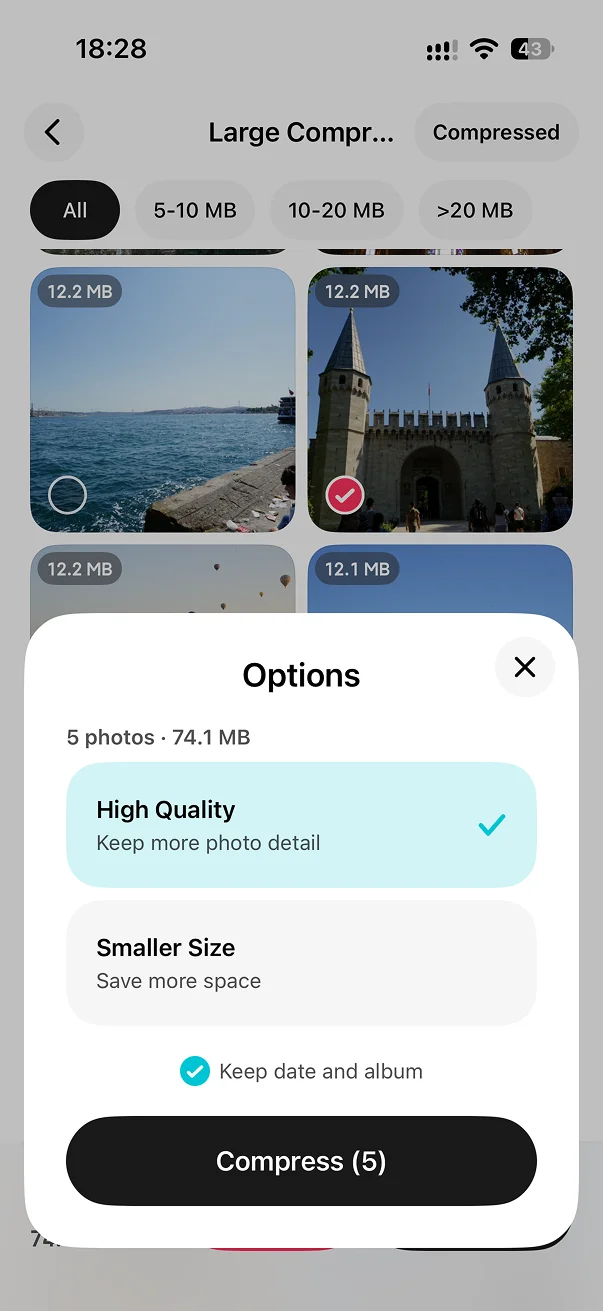
Open Large Photo Compression in the toolbox and select the photos you want to compress.
Select More Detail or Smaller Size.
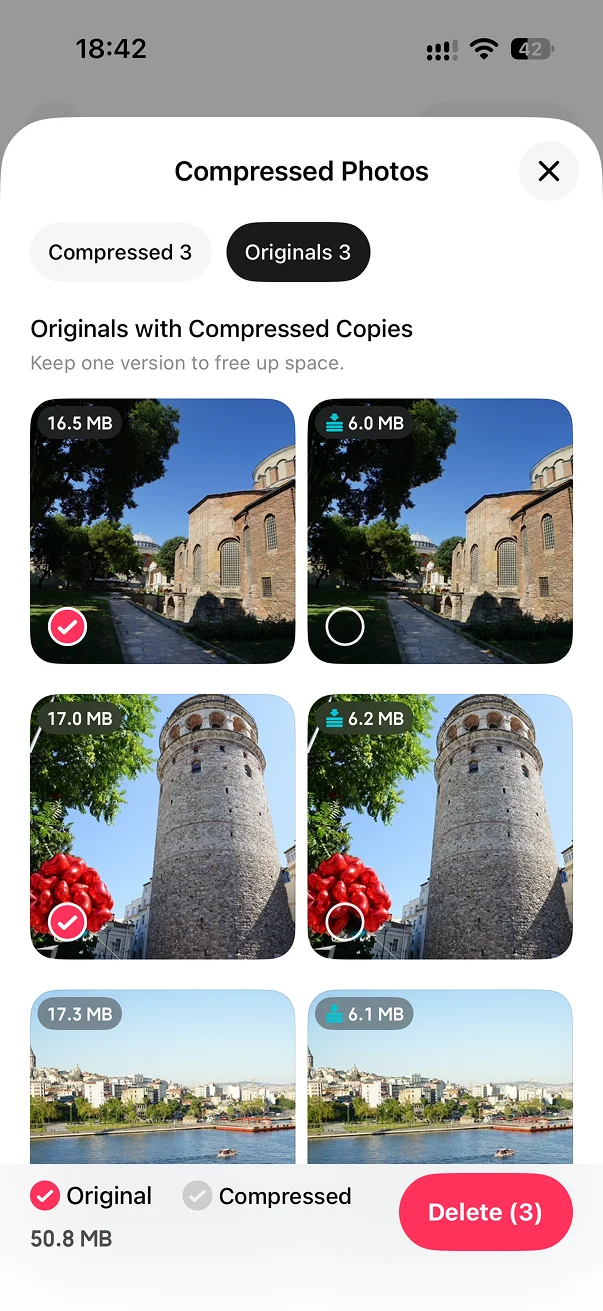
Generate the compressed copies, compare them with the originals, then decide what to keep.
Balance visible detail and file size with the high-efficiency format supported by iOS.
Compare both versions directly instead of searching for the original again.
No. Compression creates a processed copy so you can review it before deciding whether to remove the original.
HEIC is the high-efficiency image format used by the iPhone camera. It can store a clear photo in less space than older formats such as JPEG.
Reducing file size involves a quality tradeoff. LessPhoto prioritizes clarity, shows the estimated savings, and lets you review the result before removing the original.
No. LessPhoto processes photos on your iPhone.

Find large photos, preview the savings, and create smaller HEIC copies on your iPhone.