Everyday date ranges
Quickly narrow the list to screenshots that are more likely to have expired.
Filter screenshots older than three days, one week, or one month. Review the results, then delete what you no longer need.
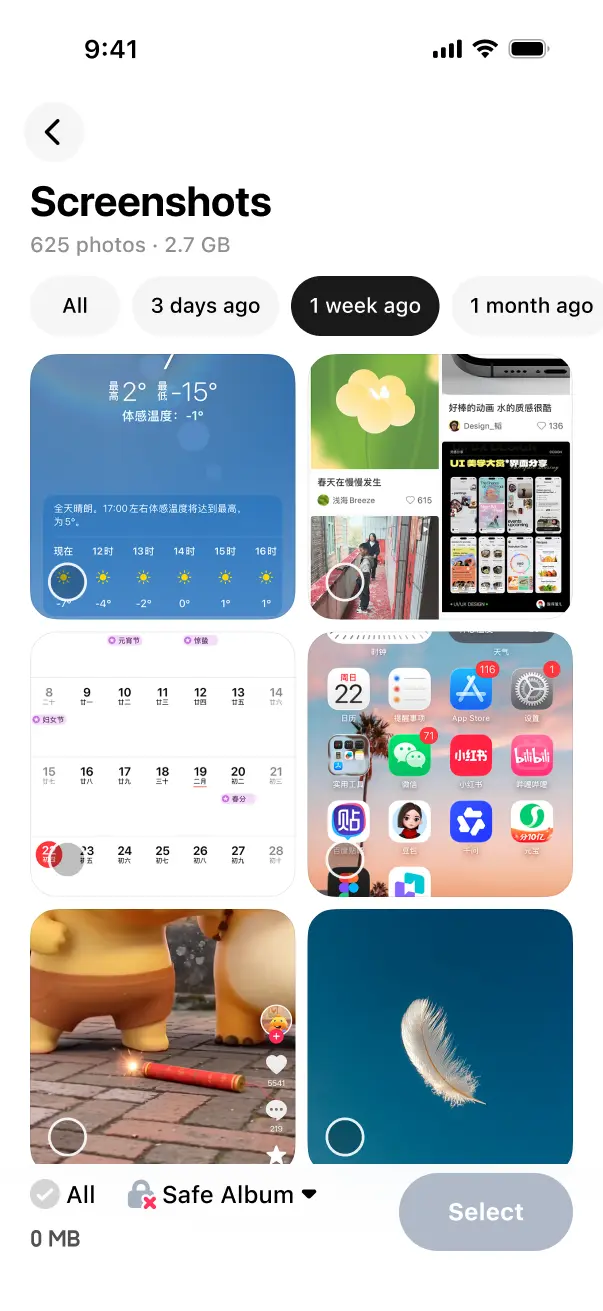
See your screenshots together without searching through the whole photo library.
Filter screenshots from three days ago, one week ago, one month ago, or another period.
Choose the screenshots you no longer need, then confirm deletion.
Quickly narrow the list to screenshots that are more likely to have expired.
Photos added to a user album or Favorites stay out of the selection and deletion flow when protection is enabled.
Screenshot cleanup is free forever.
Yes. LessPhoto adds a focused cleanup flow with age filters, batch selection, and a clear review step for screenshots you no longer need.
No. You choose the screenshots and confirm deletion through the iOS system flow.
Confirmed deletions follow your Apple Photos library settings and may sync to other devices.
No. Screenshot organization and review happen on your iPhone.

Filter by age, review in batches, and keep the screenshots that still matter.