How to Clean Up iPhone Photos: Duplicates, Screenshots, and Similar Photos
Learn how to use iPhone Photos to clean up duplicates and screenshots, then handle similar photos that the system does not identify.
When your iPhone runs out of space
Photo storage can fill up quickly. A library may contain thousands of photos, and reviewing them one by one takes time. Even after a cleanup, the space can fill up again soon.
Use Duplicates and Screenshots first
Many people miss two built-in cleanup options in iOS: Duplicates and Screenshots.
Duplicates are usually exact copies, so you only need to keep one. Screenshots are often temporary and rarely useful later.
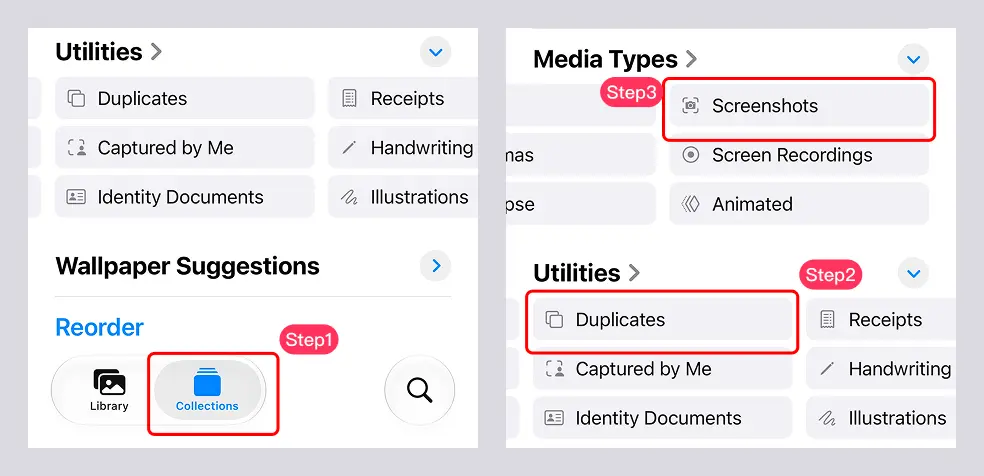
- Open Photos → Collections → Utilities → Duplicates, then review and merge the copies.
- From the same page, open Media Types → Screenshots and delete the screenshots you no longer need.
If you want to reclaim the space immediately, also clear the items you do not need from Recently Deleted.
Similar photos often take up the most space
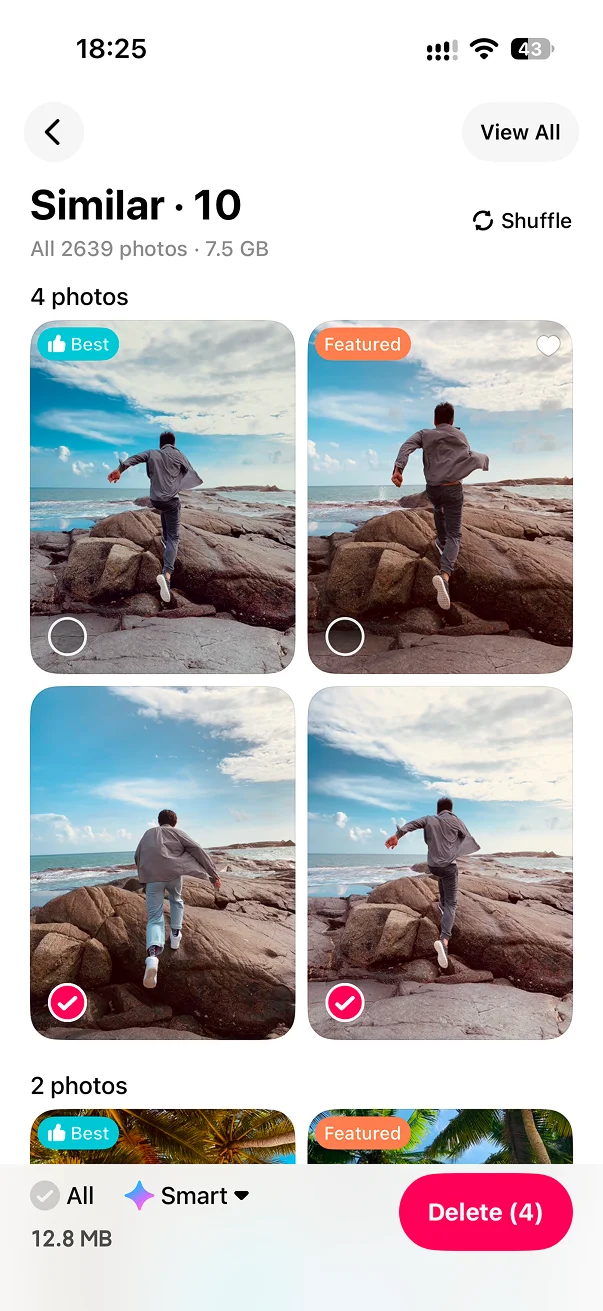
Duplicates may only find a hundred or so items. The larger problem is often the similar photos we take casually: several shots of the same scene, slightly different angles, or different expressions and poses.
iPhone currently has no built-in recognition for similar photos, so it cannot automatically find these bursts and near-duplicates. You have to review them manually or use a third-party app.
Use a third-party app for similar photos
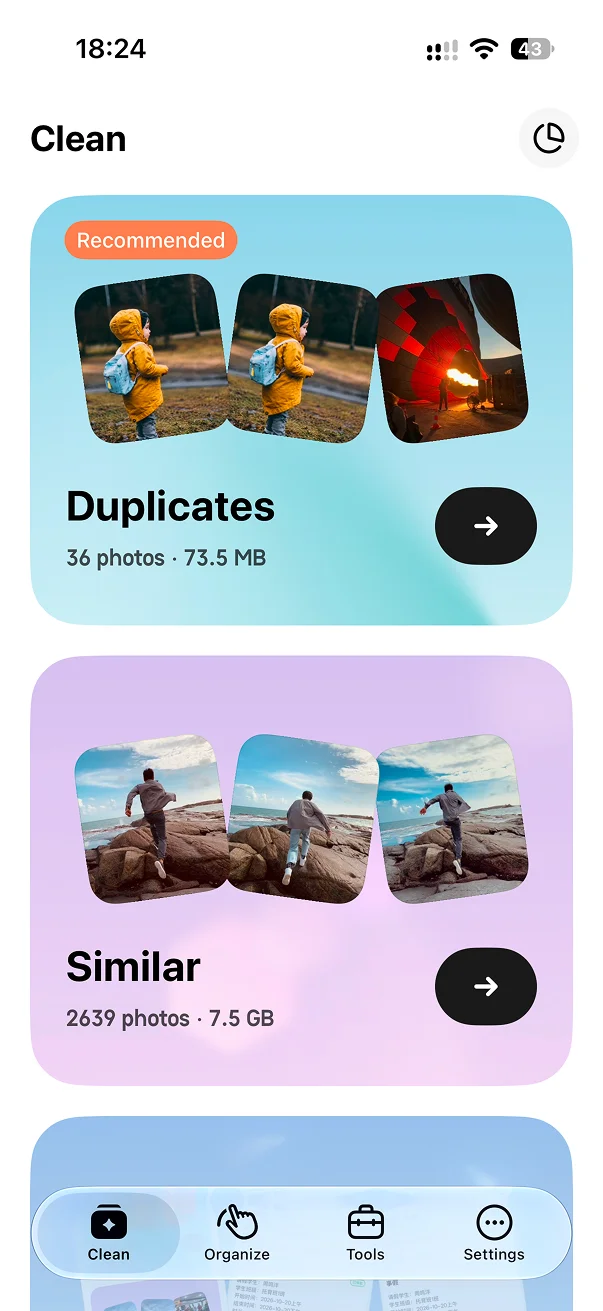
If you do not want to review every photo one by one, a third-party app can help. LessPhoto groups similar photos so you can compare them side by side, keep the best one from each group, and delete the rest in batches.
LessPhoto also extends the built-in cleanup workflow for duplicates and screenshots. Duplicate cleanup keeps the photos’ original album membership, while screenshots can be grouped by age, such as older than 7 days or 1 month, for batch deletion.